Install
You need a web host with PHP 8.3 or newer and a file manager (or FTP). HTTPS is recommended.
First install
- Download
site-update-X.Y.Z.zipfrom the latest release. - In your hosting file manager open the folder of your domain (for example
public_html), upload the zip and extract it there. - Open your domain in a browser and click the key icon (top right). A welcome box opens.
- In the file manager open
site-data/core/SETUP-CODE.phpand copy the code from the line that starts withSETUP CODE:. It is a PHP file only so that a browser gets a 404 for it. - Paste the code, choose a site name and a password, and press Create my site.
Never delete site-data. It holds all your data, and updates never touch it.
Updating later
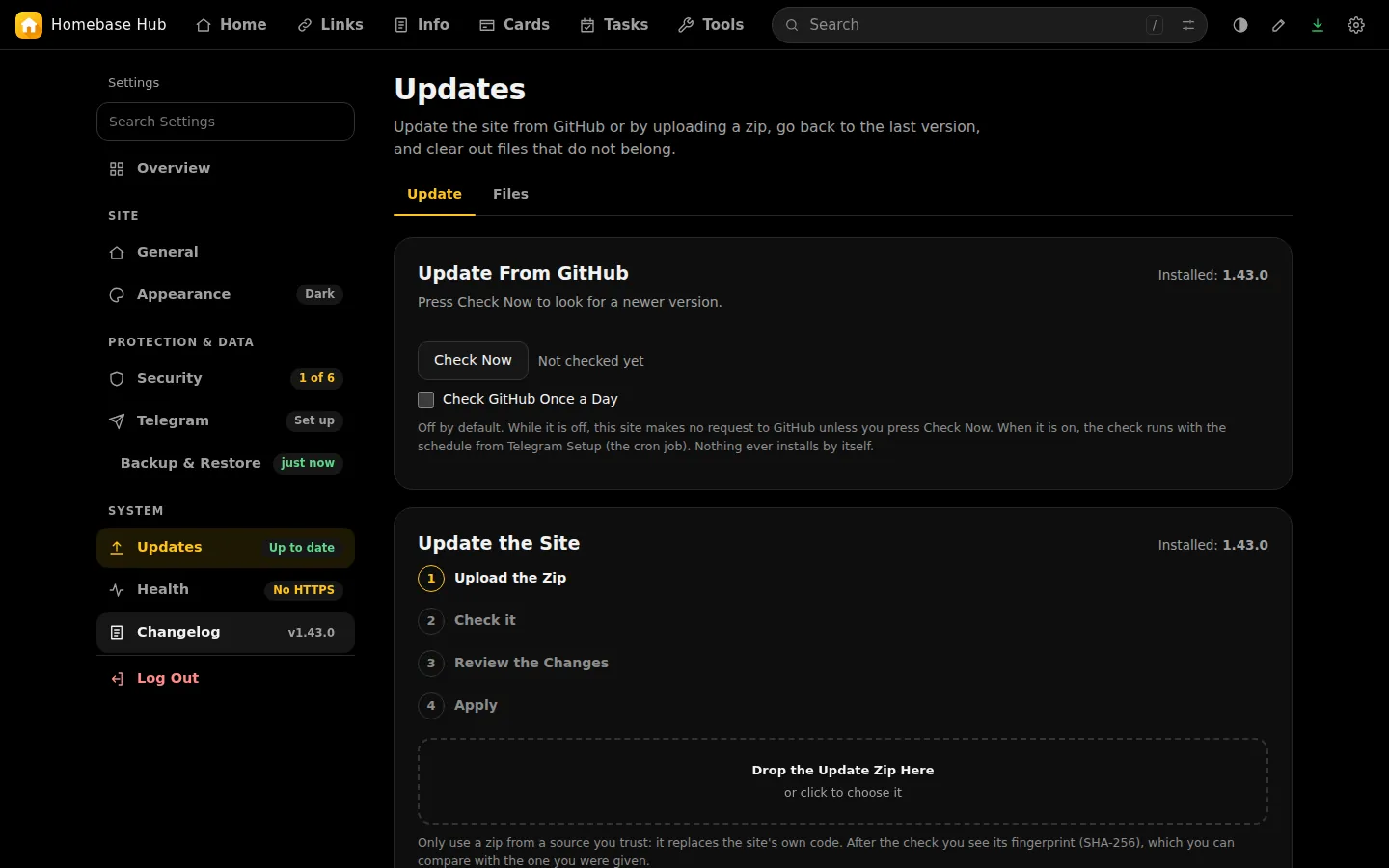
Open Settings, then Updates.
- From GitHub: press Check Now. If a newer version exists, press Download and Check. Review what will change, type your website password, and apply. The daily check is off by default.
- By zip: upload the new zip in the same tab.
Before anything is replaced the site saves the version it has, and afterwards it looks at itself. If it cannot answer, the saved version comes back by itself. Go Back does the same on request.
Keeping it safe
The site needs no regular work. The one thing to watch is the PHP version on your hosting: each version gets security fixes for about four years. Homebase Hub needs PHP 8.3 or newer, and Settings tells you when yours is about to stop getting fixes. An update that needs a newer PHP than your server has is refused, and nothing changes.
Moving or copying the site
Copy the whole site folder, data included, or export a backup and import it on the new site.
Forgot the password
Delete site-data/core/auth.php in your file manager, open the site, click the key icon, and use the setup code from site-data/core/SETUP-CODE.php. Encrypted tabs are locked with your passphrase, so a reset does not touch them.