 Homebase Hub
Your files, locked in your browser.
Keep documents, photos and anything else on your own server, in folders you name. Each file is locked in your browser before it is sent, so the server only ever holds scrambled data.
What Files takes off your mind.
The real page, point by point.
Small things, done properly.
Folders, search and preview
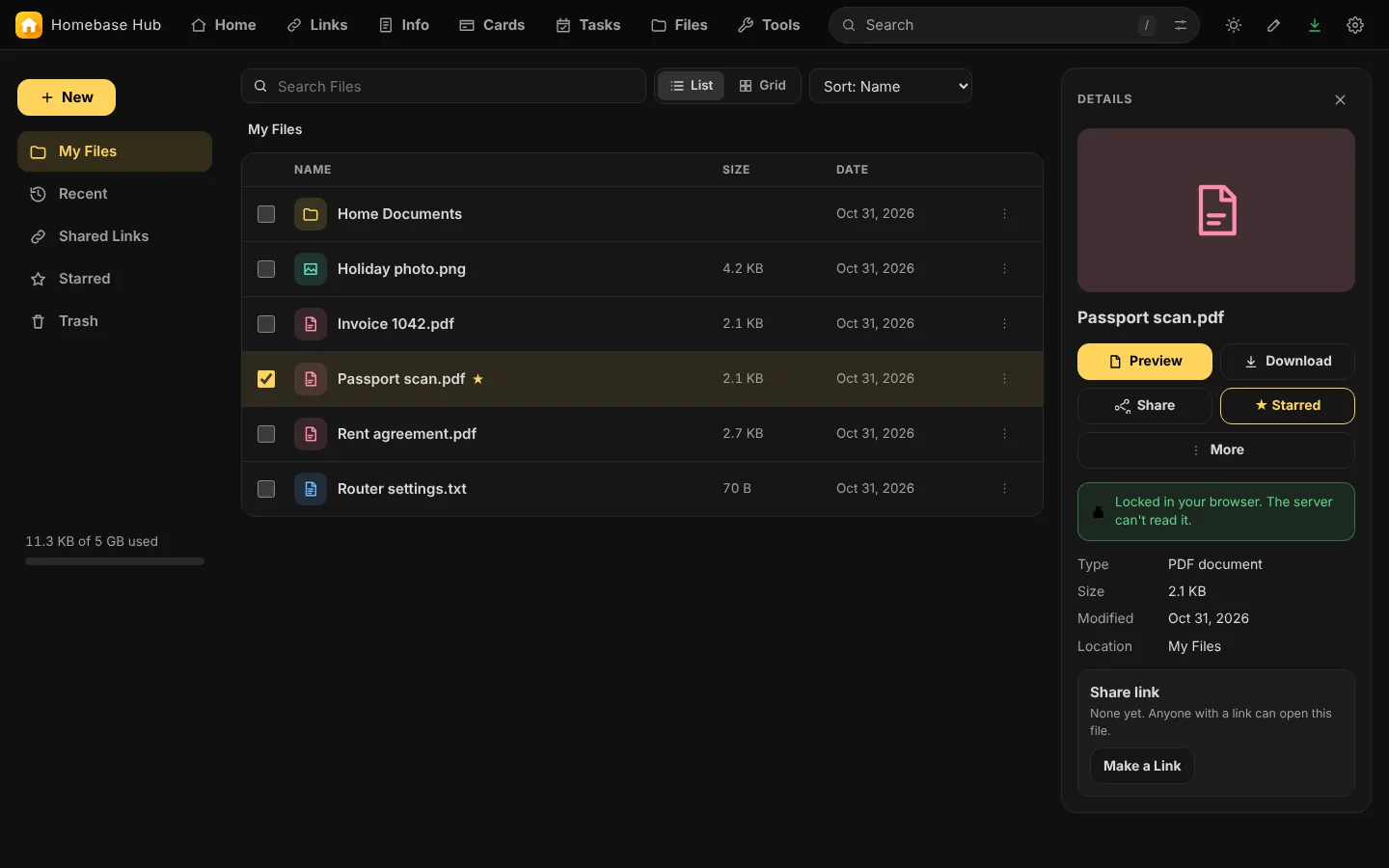
Make folders, search by name, and open a picture, a PDF or a text file without downloading it. A folder downloads as one zip.
Locked before it leaves your browser
Every file has its own key, and the name is locked too. Your passphrase unlocks them; the server never gets it.
Share links you control
Make a link for one file and choose when it ends. The key sits after the # in the address, so it is never sent to your server. Switch share links off to end them all.
Starred and Recent
Star the files you reach for, and see the newest ones under Recent.
Share from your phone
In the installed app on Android, share a photo or a file to Homebase Hub and save it to Files, or open it in Tools.
Files Settings
The storage limit, share links on or off, and how long the Trash keeps things.
Up and running in three steps.
No database and no command line. A file manager is enough.
- 1Download the zip
- 2Upload and extract it on your hosting
- 3Open your domain and choose a password